
Stocky has long been a useful app for merchants using Shopify. It helped track inventory levels, forecast demand, create purchase orders, run stock counts, and manage stock transfers.
But Shopify has announced the end of Stocky. The app will no longer be available after August 31, 2026. For businesses that use it every day, that means finding a new way to manage inventory.
For a simple store, the change may be fairly limited. For a business that sells both B2B and B2C, the issue is broader. Inventory is not just a quantity available in Shopify. It also depends on supplier orders, B2B sales, delivery notes, invoices, transfers, and sometimes multiple inventory locations.
Stocky was included with Shopify POS Pro subscriptions. The app helped merchants track inventory, anticipate replenishment needs, and identify which products to reorder.
It also made it possible to run stock counts, adjust quantities, and manage transfers between locations. For store teams or businesses already used to Shopify POS, Stocky could become part of the daily workflow.
Its value was simple: better visibility into available inventory and easier supplier purchasing within the Shopify environment.
With Stocky’s announced shutdown, users need not only to choose a new tool, but also to review which data they want to keep, understand how to retrieve it, and make sure inventory tracking remains smooth in day-to-day operations.
Shopify recommends exporting useful data before the app is discontinued. Historical Stocky purchase orders and stock counts will not be automatically transferred into Shopify after the service ends.
Not every business needs the same level of inventory management.
If you only sell on Shopify, with a limited catalog, few suppliers, and simple stock tracking, Shopify’s native features may be enough. The main point is to make sure you can still manage quantities, locations, and replenishment needs without losing too much time.
In that case, the main goal is to get back to a clear setup after Stocky. Not necessarily to add a more advanced tool.
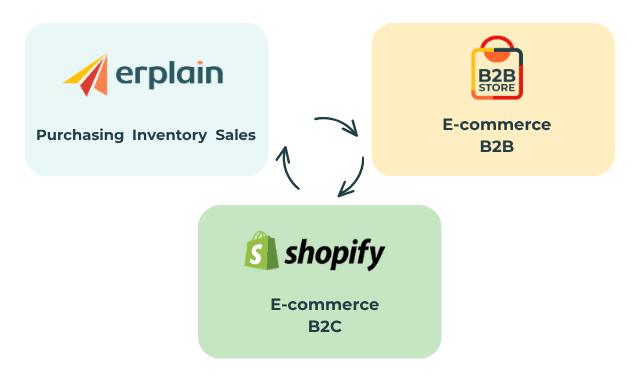
Things change when Shopify is only one sales channel among others.
A business may sell online to consumers, in-store, and also to professional customers. These B2B customers may order by email, by phone, through a sales rep, or directly with the admin team.
In that case, inventory management becomes more sensitive. The same SKU can be sold on Shopify, reserved for a B2B customer, ordered from a supplier, or transferred to another stock location.
In a B2B environment, you also need to manage sales documents such as estimates, sales orders, shipping orders, invoices, and purchase orders.
A Stocky alternative needs to go beyond simply tracking available quantities.
Erplain is an inventory and sales management software designed for businesses that sell products and need to track their daily operations.
Connected to Shopify, Erplain links your online store with the rest of your business. Products can be synced between both solutions. Orders placed on Shopify are automatically created in Erplain. Customers linked to those orders can also be created in Erplain, without duplicates if the email address already exists.
The idea is to keep Shopify for online sales and point of sale, while managing sales operations and inventory in Erplain.
This helps avoid a scattered setup. Shopify sales do not remain isolated. They feed into your sales tracking, inventory, and documents.
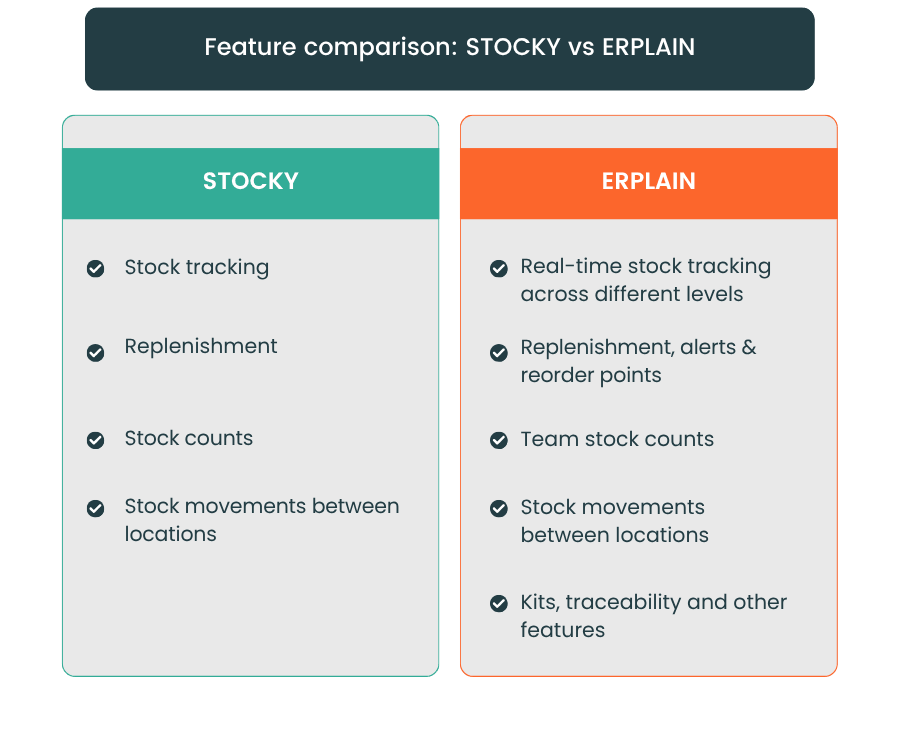
Stocky users often need to keep managing purchase orders.
With Erplain, you can create purchase orders, track suppliers, and manage receiving. Available quantities are updated when products are received or when stock movements are recorded.
You can also set reorder points, monitor stock levels, including available, reserved, and incoming quantities, and prepare replenishments.
Purchasing stays connected to sales and inventory, helping prevent stockouts.
Erplain offers flexible management of products, services, and variants.
The software lets you create bundles and manufacturing orders. This is useful if you sell a product made up of several items. For example, a gift box, a kit, or a set built from components already in stock.
Batch and expiration date tracking is available in Erplain. These features are especially useful for businesses selling food, cosmetics, medical, technical, or any other products that require more precise traceability.
Before connecting Shopify to Erplain, it is best to prepare your data.
Easily import your existing products from Shopify to Erplain. If products already exist in both Shopify and Erplain, they can be linked to avoid duplicates.
Products, customers, and suppliers can be imported into Erplain using CSV or Excel files.
Shopify orders created after the connection will then automatically flow into Erplain. Shopify order history, however, is not imported.
On the inventory side, manual adjustments should be made in Erplain to keep quantities consistent with Shopify.
On August 31, 2026, Stocky will no longer be available. Changing inventory tools always takes some time. Here are a few key points to prepare for:
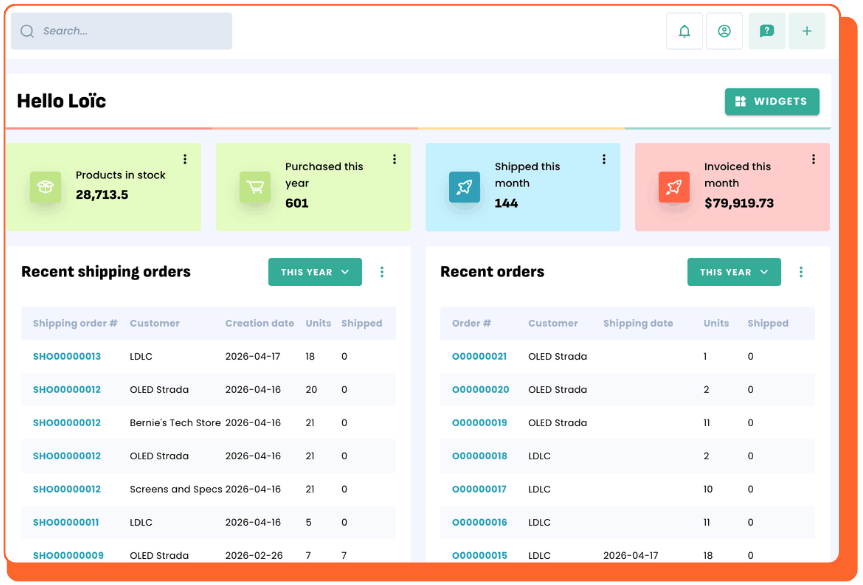
The end of Stocky means Shopify users need to rethink how they manage inventory. For some stores, Shopify’s native features may be enough. For businesses selling both B2B and B2C, the needs are often broader.
You need to manage Shopify sales, B2B orders, suppliers, purchasing, receiving, sales documents, and inventory. This information needs to stay consistent, otherwise discrepancies eventually slow down the whole organization.
Erplain connects Shopify to a more complete inventory and sales management setup. You keep Shopify for your B2C sales, while using Erplain to manage products, purchases, B2B orders, and inventory.
Using Stocky and looking for an alternative connected to Shopify? Try Erplain for free and see how you can keep a clearer view of your sales, purchases, and inventory.
Stocky will remain available until August 31, 2026 for merchants who already have access to it. After that date, the app will no longer be available. Businesses using it to manage inventory, purchasing, or stock counts should plan for a new setup before the final shutdown.
The most important step is to retrieve the data you want to keep. This may include past purchase orders, stock counts, inventory levels, or any information needed to track supplier purchases. This step helps you keep a usable history before moving to another solution.
The right choice depends on your business. If you run a simple store with few products and few suppliers, Shopify’s native features may be enough. If you sell both B2B and B2C, with supplier orders, sales documents, and multiple inventory flows, an inventory and sales management software like Erplain will be better suited.
Erplain connects Shopify to a more complete way to manage sales, purchasing, and inventory. Shopify orders automatically flow into Erplain, and inventory is automatically updated between both tools. This is essential for businesses that want to keep Shopify as a sales channel while managing their sales operations in a dedicated tool.
Yes. Products can be imported from your Shopify account. Products, customers, and suppliers can be imported into Erplain using CSV or Excel files. This is useful if you already have an existing database or if you are preparing a transition from Stocky.
Yes. Once Shopify is connected to Erplain, new Shopify orders are automatically created in Erplain.
Keep in mind that older Shopify order history is not imported automatically. This should be taken into account during setup.






.png)