By clicking “Accept All Cookies”, you agree to the storing of cookies on your device to enhance site navigation, analyze site usage, and assist in our marketing efforts. View our Privacy Policy for more information.
Create customer price tiers and set pricing rules for each customer. The right prices are applied automatically, reducing errors and simplifying day-to-day pricing management.
Automatically apply the right prices based on each customer and your pricing rules.
Set up your pricing strategy
Centralize your price lists, customer tiers, and pricing conditions to reduce errors.
Manage advanced pricing rules
Adapt your prices based on the customer, product, volume, period, sales location, or promotion.
PRICE LIST
Assign the right price level to each customer
Set a price tier for each customer category. Your multi-tier pricing structure is automatically applied to estimates, sales orders, and invoices helping reduce pricing errors.
check_circle
Create custom price tiers: reseller pricing, recommended retail pricing, key account pricing, independent retailer pricing, and more.
check_circle
Automatically apply the right price in sales documents
check_circle
Specific prices by customer, supplier, or price level
check_circle
Import via CSV and update multiple prices from a single page
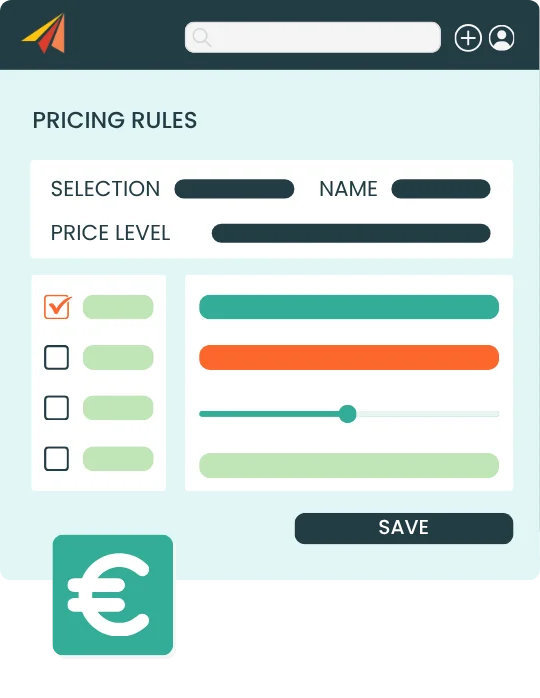
PRICING RULES
Automate your pricing conditions
Adapt your prices to each situation with pricing rules, without manually updating your sales documents.
check_circle
Create fixed or calculated pricing rules
check_circle
Apply rules by product, variant, or price level
check_circle
Set pricing conditions based on dates, currencies, stock locations or customer tiers
check_circle
Automatically adjust prices in sales or purchase documents
DISCOUNT RULES
Automatically apply your discounts
Automatically adapt your pricing to each situation with pricing rules.
check_circle
Apply volume-based or quantity-based discounts
check_circle
Set conditions based on products, seasons, tags, or time periods
check_circle
Apply discounts as a percentage or fixed amount directly to sales documents
check_circle
Manage commercial operations with more flexibility
Erplain simplifies our sales by allowing us to use predefined pricing rules by customer category or by customer, based on the quantities purchased.
Loïck Pavese,
Co-founder of LP Technologie
CUSTOMER PRICING MANAGEMENT SOFTWARE FAQ
What is customer pricing management software?
Customer pricing management software, often included in sales management software, helps businesses create, centralize, and apply different price lists based on customers, products, volumes, or commercial conditions. It helps companies manage prices without manually updating each quote, sales order, or invoice.
Can I create multiple price lists in Erplain?
Yes. Erplain lets you create multiple price levels or pricing categories. For example, you can manage B2B, B2C, reseller, distributor, or customer-specific prices.
Can I assign a price level to a customer?
Yes. You can assign a price level to each customer from their customer profile. The corresponding price is then automatically used when creating sales documents.
Can I create pricing rules in Erplain?
Erplain lets you create pricing rules to automatically adjust a product’s price based on specific conditions, such as the product, price level, time period, product category, or sales location.
Can I manage volume discounts?
Yes. You can create discount rules that are automatically triggered when a defined volume or quantity is reached. These discounts can be applied as a fixed amount or as a percentage.
Can I import or update multiple prices at once?
Erplain lets you update multiple prices from a dedicated page or import prices from a CSV or Excel file, which is especially useful for managing complex price lists.